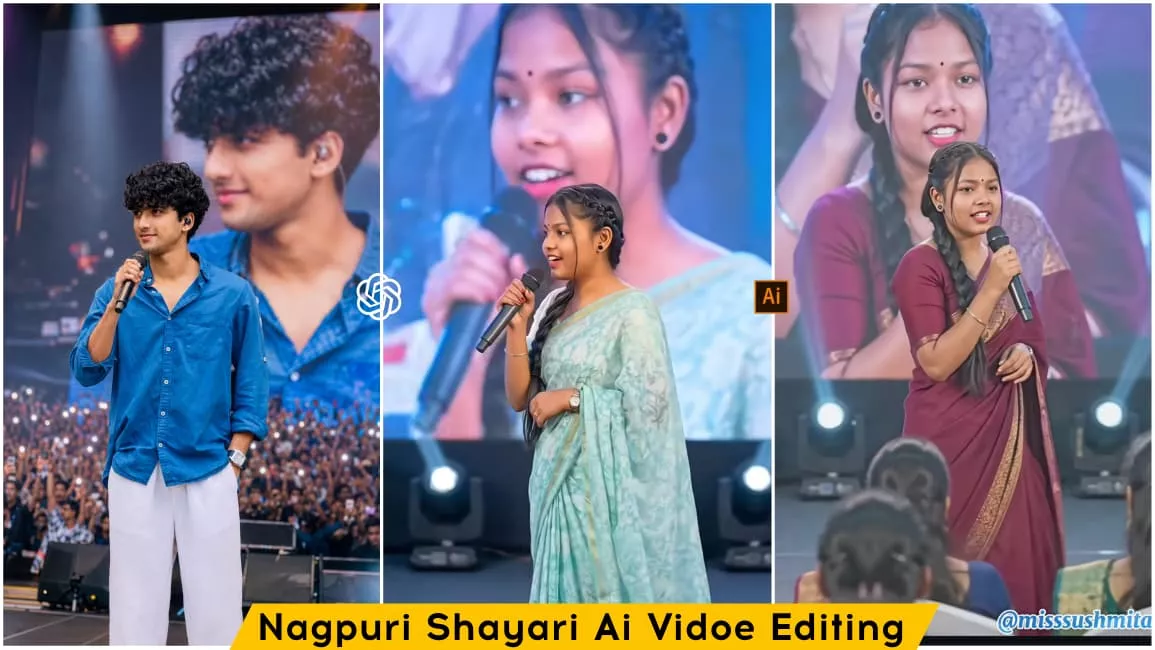
Nagpuri Shayari Ai Video Editing Prompt – Friends, a new style of video editing is currently going viral on social media; it features a highly realistic and cinematic look. People are loving this style because of its unique editing, and you will see that these videos feature a “Nagpuri style” of shayari (poetry). A model recites poetry in the Nagpuri language—covering themes ranging from heartbreak to romance, depending on the mood. You, too, can easily create this viral Nagpuri shayari video using your own face, making it appear as though you are performing the poetry on stage. We can create such a realistic video in just two steps; if you follow this article, I will guide you through the entire process so you can successfully create this viral shayari video.
Details Of Nagpuri Shayari Ai Video Editing Prompt
First, let me tell you what this shayari (poetry) video editing entails and what you can expect to see. As I mentioned, we will be creating this using an AI tool. This isn’t a real-life video; it has no connection to reality. It is an AI-generated video born purely from our imagination. You will see a model—which effectively represents you as an AI avatar—holding a microphone and reciting poetry in the Nagpuri language. The model is performing on a stage designed to look like a grand stage show, with a video of yourself playing on the screen in the background. Meanwhile, the model recites the poetry in the local Nagpuri dialect. These types of shayari videos are going viral, and people are creating them with ease. I will explain the creation process in the following paragraph.
How To Create This Ai Video?
Friends, we can easily create this ‘shayari’ (poetry) video in just two steps. The first step is to generate an AI image showing you on stage, holding a microphone and performing. Since you likely don’t have such a photo already, you’ll need to create one. To do this, copy the image prompt provided in the article, open the ChatGPT app, paste the prompt, and add a reference image of yourself using the plus (+) icon. Once you generate it, you’ll have a realistic AI image ready—showing you standing with a microphone—which we will use to create the video. Next, to generate the video, open the Google Flow website, click on ‘New Project,’ select the video aspect ratio, and add the AI-generated photo using the plus (+) icon. Then, paste the ‘shayari’ prompt, and your viral ‘shayari’ AI video will be ready. I will explain how to generate the ‘shayari’ prompt in the next paragraph.
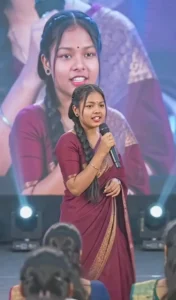
Use the provided image as reference and keep the person exactly unchanged — same face, hair, skin tone, expression, pose, body proportions, gaze, and full outfit with all details intact. Place the person at the center of a grand live concert stage, holding a premium microphone while performing or addressing the audience. Behind them, a huge LED screen shows a softly blurred close-up of the same person. Add cinematic spotlights, volumetric beams, light haze, vibrant stage lighting, realistic crowd ambiance, bokeh, shallow depth of field, and natural shadows. Ultra-realistic DSLR shot, 85mm lens, sharp facial focus, detailed skin texture, natural colors, 4K, vertical 9:16, professional concert photography style.
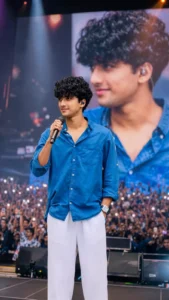
Use the provided image as reference and keep the person exactly unchanged — same face, hairstyle, skin tone, expression, body proportions, gaze direction, pose, and all clothing details intact. Place him at the center of a massive live concert stage, confidently holding a premium wireless microphone while performing or addressing a huge audience. Behind him, an enormous LED screen displays a softly blurred close-up portrait of the same person. Add cinematic stage spotlights, colorful concert lighting, volumetric light beams, atmospheric haze, realistic crowd silhouettes, raised hands, smartphone lights, bokeh effects, shallow depth of field, and natural shadows. Grand arena concert environment with professional stage equipment and immersive audience energy.Ultra-realistic DSLR concert photography, 85mm lens, f/1.8, razor-sharp focus on the face, highly detailed skin texture, natural color grading, realistic lighting, professional event photography, cinematic depth, HDR quality, 4K resolution, vertical 9:16 composition, magazine-cover quality, extremely realistic and authentic appearance, no face alteration, no outfit changes, no body modifications, preserve identity perfectly.
How To Create Shayari In Chatgpt?
Creating shayari (poetry) using ChatGPT is incredibly easy. First, open the ChatGPT app and go to the specific chat where you previously generated the image. Then, type a request asking for a prompt—such as a stylish Nagpuri “broken heart” shayari—tailored to the type of video you want to create. ChatGPT will provide the prompt; simply copy it, paste it into the relevant website along with your image, and generate the content. Your video will then be ready.
Conclusion
So friends, I hope you really like this viral “saree-style” video editing concept. By using it, you can create your own Nagpuri-style video featuring the saree look—a style that is currently trending heavily. Creating such a video increases your chances of going viral, so you should definitely give it a try. I hope you have understood the entire process outlined in this article and will be able to generate your video with ease. Do keep visiting our website to learn more unique and trending editing techniques.