Mirror Selfie Ai Photo Editing Prompt – You may have noticed a new trend on social media where people are creating “mirror selfie” images—transforming ordinary photos into stylish, trending mirror selfies. Since this style of photo editing is going viral, I am going to teach you how to create one yourself in this article. I will show you how to use AI to generate this image; by using a standard photo of yourself along with a specific prompt, you can create this look effortlessly. Read on to learn the step-by-step process for this mirror selfie edit.
Details Of Mirror Selfie Ai Photo Editing Prompt
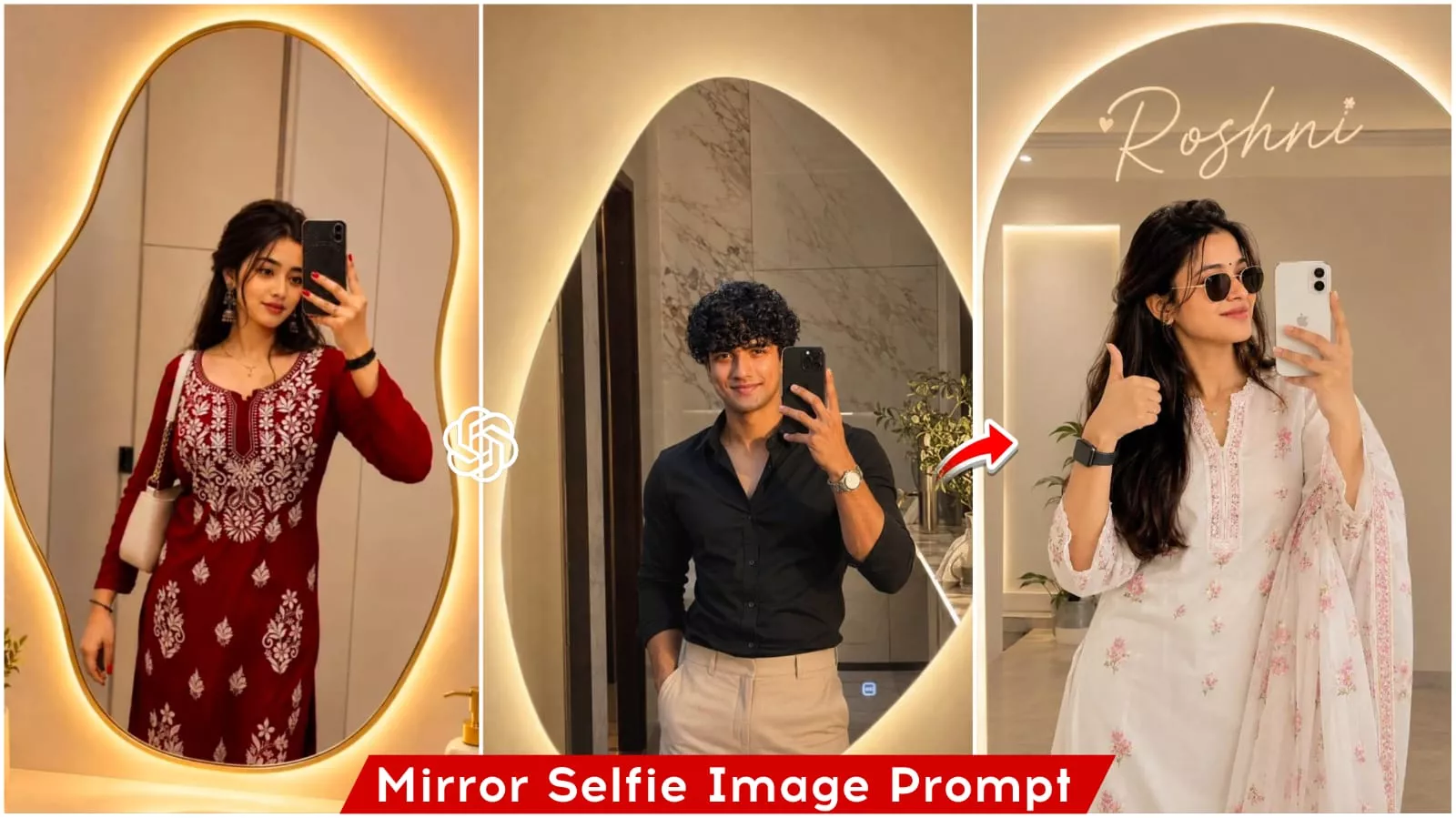
As I mentioned, this tutorial is about creating mirror selfie-style images. You will see that the resulting image depicts you standing in front of a large mirror, holding your phone and taking a selfie. The background resembles a luxurious hotel restaurant, and the mirror is adorned with neon lighting. Each pose varies—in some, you might be holding the phone directly in front of your face, while in others, you are holding it to the side. You can achieve these different looks by using various prompts. To generate these images, you can use any AI tool.
What You Need To Do This Editing?
Friends, to create an image, you need three things: first, a real reference image; second, a prompt containing all the details for generating the image; and third, an AI tool where you can input the reference image and prompt to generate the image. In this article, I have provided various image prompts; now, you simply need to use your reference image and the prompt with any AI tool to generate the image. You can use ChatGPT or Google Gemini for image generation. I will show you how to create images using ChatGPT; please read the subsequent paragraphs of this article.
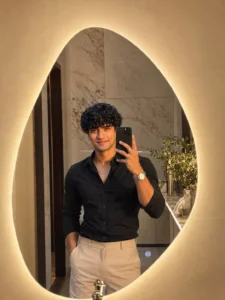
Ultra-realistic mirror selfie of a handsome young man standing in front of an irregular organic-shaped LED mirror with a warm golden backlight. He wears a stylish fitted black shirt with beige trousers, luxury wristwatch, neatly styled textured hair, and a confident expression. Holding a black smartphone in his left hand while taking a mirror selfie, right hand casually in pocket. Modern luxury bathroom interior with beige walls, premium marble details, soft warm ambient lighting, minimalist decor, realistic skin texture, cinematic shadows, sharp focus, DSLR photography, shallow depth of field, fashion influencer style, ultra detailed, 4K, photorealistic
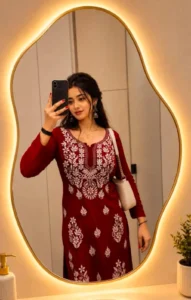
Ultra-realistic mirror selfie of a young woman standing in front of an irregular organic-shaped LED mirror with a warm golden backlight. She wears an elegant deep red embroidered kurti with intricate white floral threadwork, stylish earrings, subtle makeup, and neatly styled long hair. Holding a black smartphone in her right hand while taking a mirror selfie, carrying a small cream-colored shoulder bag. Modern luxury bathroom interior with beige walls, soft ambient lighting, minimal decor, ceramic sink accessories, clean aesthetic, warm tones, realistic skin texture, sharp focus, DSLR quality, shallow depth of field, Instagram fashion photography, 4K, highly detailed.
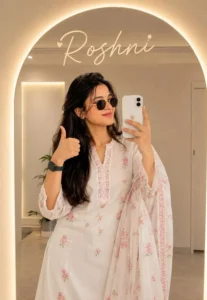
Use my face and create a high-quality mirror selfie i phone 16 white colour of a handsome young woman name 'Neha' with stylish massy volume long hair with cuteness. He is wearing a, traditional white Shalwar Kameez pink flowers dupatta, modern gold-rimmed sunglasses, and a black smartwatch. SHe is giving a thumbs-up while holding a smartphone. The setting is a minimalist, modern room with a large, arch-shaped mirror featuring a warm glowing LED backlight.
How To Generate Image Like This
To create an image with the help of ChatGPT, first copy the prompt from the article. Then, open ChatGPT—you can use either the app or the website. It is a completely free application that allows you to generate images at no cost. Simply open the app, paste the prompt, and add your reference image using the plus icon. Finally, click the send button and wait a few moments; ChatGPT will generate the image for you, and you can then save it.
CONCLUSION
Friends, I have explained the entire process for this AI-generated mirror selfie photo editing, and by following these steps, you can easily create your own trending images. I hope you enjoy this editing style and find it easy to create the images. If you want to create more trending images like this and need the prompts, please visit this website; you will find new articles there containing prompts for trending images.