Raksha Bandhan Ai Photo Editing Prompts – Hello friends, welcome to today’s new article. Friends, in today’s article I am going to teach you photo editing on a new topic. As you already know that the holy festival of Rakshabandhan between brothers and sisters is about to come and every year it is celebrated on the last day of the month of Sawan, that is, the festival of Rakshabandhan is celebrated on the full moon day and this year too, only a few days are left for this festival to come. So friends, right now people are busy preparing for Rakshabandhan and those who are active on social media and who are fond of sharing photos, they are making Rakshabandhan photos from their photos. And in the present time, due to AI, making this photo has become very easy, you can easily make a realistic and very creative image, which earlier you used to make a simple image by editing normally, now for Raksha Bandhan you can convert it in the form of your choice, so friends, in today’s article I am going to teach you how to do this viral Raksha Bandhan photo editing with the help of AI, which you will be able to create for yourself, so you follow this article, in this I will guide you on how to create the photo by using the prompts.
Raksha Bandhan Ai Photo Editing Prompts
So friends, as I told you, there will be photo editing on Rakshabandhan. This photo editing is designed to depict the sacred bond between brothers and sisters. You can create your own photos in different styles and on different topics. You can create a photo of yourself receiving a Rakhi or giving a Rakhi gift to your sister, or your sister tying a Rakhi on your wrist. You can easily create different photos with different looks. The photo will also include the text “Happy Rakshabandhan,” and the background will be a realistic background reminiscent of Rakshabandhan. You can easily create this photo using prompts. I’ll also explain the process in this article. Stay tuned.
How To Create Raksha Bandhan Ai Photo?
Now let us talk about how to create this photo, so friends, you have seen that above I have shared the prompts of different images with you, whichever image you like, first copy its prompt, you can copy the prompt in one click with the copy button, after that you have to create it with the help of an eye tool, so for this you can use Chat Secret or Google Gemini whichever you like, I will tell you how to create the photo by using Chat Secret, although the process of both is the same. For this, you have to copy the prompt from the article and then open the Chat Incognito application and paste the copied prompt in it and then add a reference image of yours, then from the Plus item you can add an image of your clear face and after that when you generate it, your Rakshabandhan image will be created and ready in which you will be seen wearing Rakshabandhan on your wrist or you will be seen giving a gift to your sister, in such different styles you had copied your prompt, in the same style your photo will be created and ready.
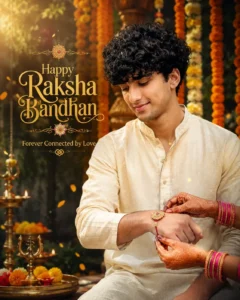
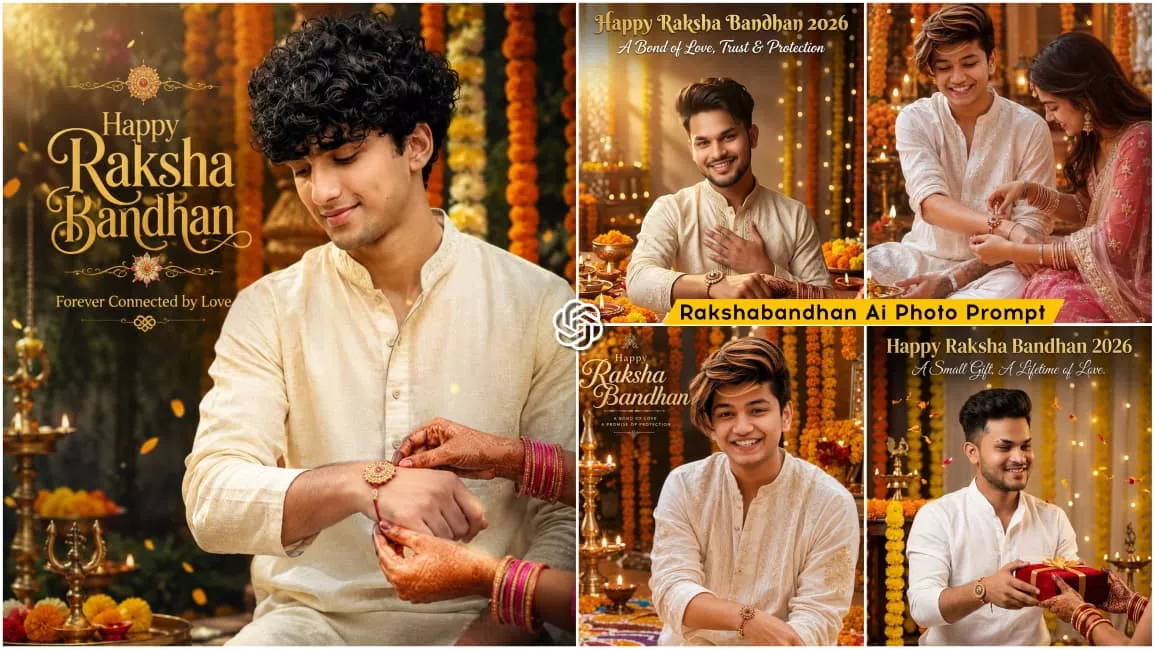
Create an ultra-realistic Raksha Bandhan 2026 poster using the uploaded reference photo. Preserve my face 100%. A young Indian man in an ivory kurta gently looks down at his wrist with a heartfelt smile while only his sister's beautifully decorated mehndi hands tie a premium rakhi. Rich marigold decorations, floating flower petals, brass diyas, soft sun rays, cinematic bokeh, DSLR 85mm, HDR, photorealistic, premium editorial quality, 8K, vertical 4:5. Add premium typography: *"Happy Raksha Bandhan"* in elegant saffron-gold calligraphy with *"Forever Connected by Love"* beneath it.
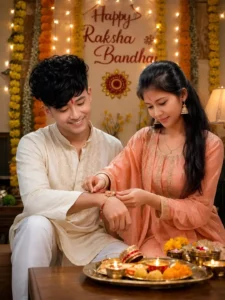
Ultra-realistic cinematic Indian Raksha Bandhan celebration photo of a young Indian brother and sister sitting together at home. 101% same face. The brother is wearing an elegant cream-colored embroidered kurta with white pajama, slightly curly textured black hair, neatly groomed beard, and a small red tilak on his forehead. The sister is wearing a beautiful pastel peach traditional salwar suit with delicate golden embroidery, matching dupatta, traditional jhumka earrings, bangles, and a small red bindi. The sister is lovingly tying a decorative red-and-gold Rakhi on her brother's wrist while both look down at the Rakhi with warm, genuine smiles. A traditional puja thali filled with sweets, diya lamps, flowers, and Raksha Bandhan items is placed on a wooden table in the foreground. Background decorated beautifully with orange and yellow marigold flower garlands, warm fairy lights, and an elegant wall decoration with the text "Happy Raksha Bandhan". Cozy Indian festive home atmosphere, warm golden lighting, soft cinematic bokeh, natural skin texture, realistic facial expressions, detailed traditional clothing, shallow depth of field, DSLR photography, 85mm lens, f/1.8, high dynamic range, photorealistic, ultra-detailed, 8K quality, vertical 3:4 composition.
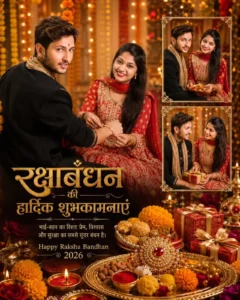
Create a highly realistic, premium cinematic Raksha Bandhan greeting poster featuring a real Indian brother and sister, using the uploaded brother photo and uploaded sister photo as the ONLY face references.

STRICT FACE LOCK - preserve both faces exactly as in the reference photos. Do not change facial identity, facial structure, eyes, eyebrows, nose, lips, jawline, skin tone, hairstyle, age, beard/moustache, or natural facial proportions. No beautification and no face morphing.

Create a beautiful traditional Indian festive setting with a warm golden-orange background, glowing fairy lights, marigold flowers, elegant bokeh, diyas and a luxurious festive atmosphere.

*

Place the sister prominently on the left/center, wearing a beautiful traditional Rajasthani/Indian festive outfit with a red dupatta/odhani, traditional jewellery, bangles and subtle mehndi. She should look naturally happy and graceful.

*

Place the brother prominently beside her, wearing a stylish traditional Indian/Rajasthani kurta with an elegant festive look. The sister is tying Rakhi on her brother's wrist, showing a genuine emotional brother-sister bond. Both should have natural smiles and realistic body proportions.

On the right side, create two smaller elegant portrait frames showing different natural poses of the same brother and sister, matching the main characters exactly. Use ornate golden decorative borders around the smaller frames.

Add a luxurious Raksha Bandhan decoration at the bottom: Rakhi thali, kumkum, diya, sweets, ladoos, dry fruits, flowers, gift boxes and festive decorations, arranged beautifully and realistically.

Add large elegant Hindi typography:

"रक्षाबंधन की हार्दिक शुभकामनाएं"

Below it:

"भाई-बहन का रिश्ता प्रेम, विश्वास और सुरक्षा का सबसे सुंदर बंधन है।"

At the bottom:

"Happy Raksha Bandhan 2026"

Make the typography premium, golden and cream colored, highly readable and beautifully integrated into the poster.

Premium Indian festival poster, realistic photography, cinematic lighting, warm golden glow, rich red and gold tones, detailed traditional decorations, DSLR photography, shallow depth of field, realistic skin texture, natural expressions, high detail, professional graphic design, luxury greeting-card aesthetic, sharp subjects, 4K ultra-realistic quality, portrait 4:5 aspect ratio.

IMPORTANT: The brother and sister must remain recognizable exactly like their uploaded reference photos. No alteration of their faces or identity
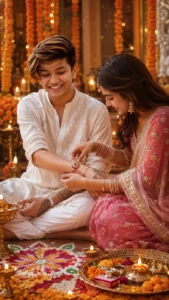
Create an ultra-realistic 3D Raksha Bandhan portrait using the uploaded reference photo. Preserve the face and identity exactly. Show a young Indian man in a white embroidered kurta while his sister, dressed in a traditional pink lehenga, lovingly ties a Rakhi on his wrist. Decorate the background with marigold flowers, rangoli, diyas, festive lights, and a pooja thali. Warm golden lighting, cinematic HDR, DSLR quality, realistic details, 8K, vertical 9:16.
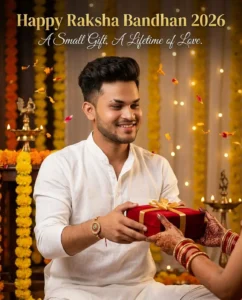
Create an ultra-realistic Raksha Bandhan 2026 poster using the uploaded reference photo. Preserve my face, hairstyle, beard, skin tone, and identity 100%. A stylish young Indian man wearing a premium white linen kurta smiles warmly while presenting an elegant red velvet gift box with a golden ribbon toward his sister. Only his sister's graceful mehndi hands with traditional red-gold bangles are visible reaching forward to receive the gift. The rakhi is already tied on his wrist. Rich marigold decorations, brass diyas, floating flower petals, warm golden fairy lights, cinematic festive atmosphere, DSLR 85mm, f/1.8, HDR, ultra-sharp, realistic skin and fabric textures, premium editorial photography, 8K, vertical 4:5. Add elegant gold typography at the top: *"Happy Raksha Bandhan 2026"* and below it in refined white script: *"A Small Gift, A Lifetime of Love."*
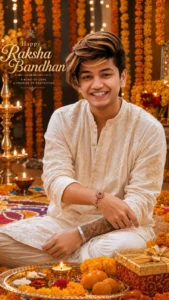
Create an ultra-realistic 3D Raksha Bandhan portrait using the uploaded reference photo. Preserve the face, hairstyle, beard, skin tone, and identity exactly. Show the young Indian man wearing a premium white embroidered kurta with a beautifully tied Rakhi on his wrist, smiling confidently. Background decorated with marigold flowers, diyas, rangoli, festive lights, and a pooja thali. Warm golden lighting, cinematic HDR, DSLR quality, realistic details, masterpiece, 8K, vertical 9:16. 🎁
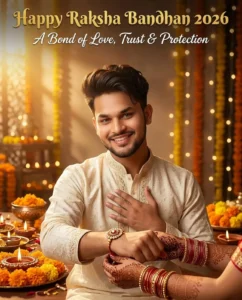
Create an ultra-realistic Raksha Bandhan 2026 poster using the uploaded reference photo. Preserve my face, hairstyle, beard, skin tone, and identity 100%. A young Indian man wearing an elegant cream kurta smiles warmly while extending his right wrist toward the camera. Only his sister's graceful mehndi hands with red-gold bangles gently tie a luxurious rakhi. His left hand rests over his heart with a thankful smile. Luxury festive décor with diyas, marigold flowers, fairy lights, warm golden sunlight, creamy bokeh, DSLR 85mm, HDR, ultra-realistic, 8K, vertical 4:5. Add elegant typography: *"Happy Raksha Bandhan 2026"* in luxurious gold lettering at the top and *"A Bond of Love, Trust & Protection"* below in stylish white script.
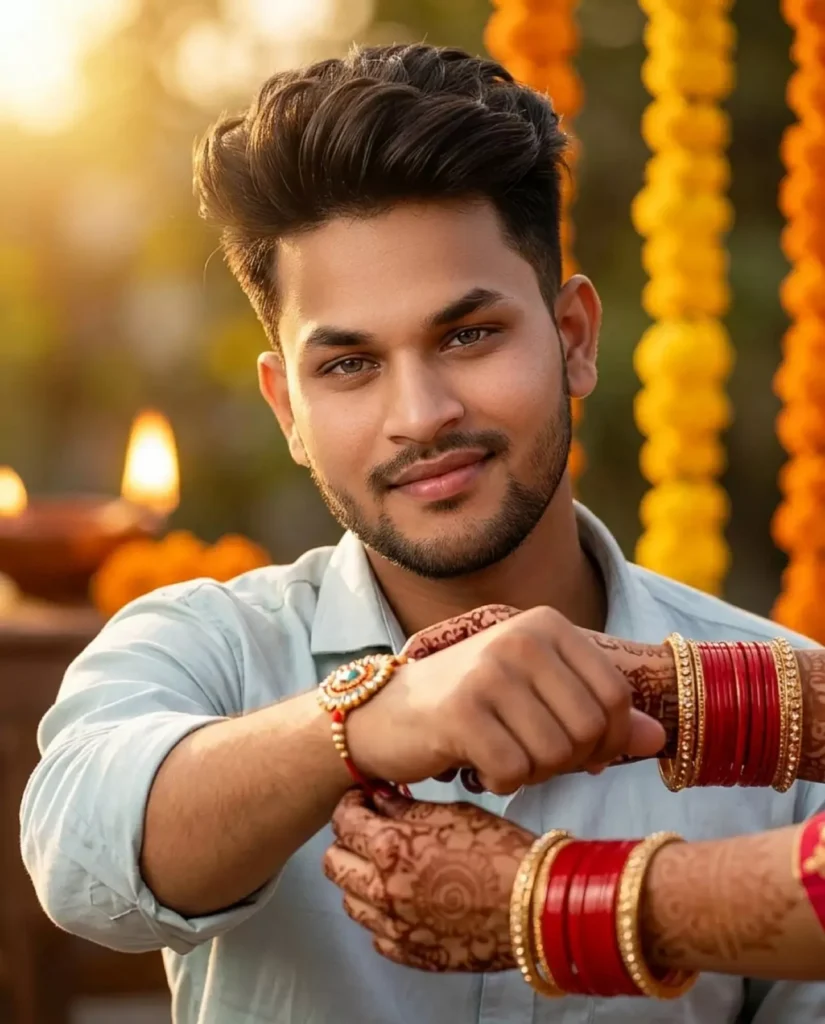
Create an ultra-realistic Raksha Bandhan 2026 portrait using the uploaded reference photo. Preserve my face, hairstyle, beard, skin tone, and identity 100%. A young Indian man smiles softly while extending his right wrist toward the camera. Only his sister's elegant hands, wearing red bangles, golden bracelets, and mehndi, are tying a beautiful traditional rakhi. Warm golden sunlight, blurred marigold decorations, diya bokeh, realistic skin textures, DSLR 85mm, HDR, cinematic lighting, photorealistic, 8K, vertical 4:5.
Why This Photo Editing Is Voing Viral?
Friends, the reason this photo went viral is because it was created for the festival of Rakshabandhan. You all know that everyone loves the festival of Rakshabandhan. Everyone strengthens the relationship between their brother and sister, and their bond becomes even stronger when this festival is celebrated. And with only a few days left for this Lord’s arrival, friends, right now people have started creating such photos for Rakshabandhan. Those who know how to do it well are easily creating their photos and sharing them on social media, due to which this photo editing is going viral because of the new trend. If you also did not know about it, then today you will learn by reading this article and then you will be able to create your own photo easily. We can create it easily with the help of a prompt and our reference image. And you will get different image prompts in the article with the help of which you have to create the image, so if you also want to make your photo viral, then create and share your photo on this Rakshabandhan trend as soon as possible, your photo will also definitely go viral.
Conclusion
So friends, in this way you can easily create your viral Rakshabandhan photo editing. In this article, the entire process has been explained in detail and you have also been given image prompts, using which you can easily create your photo. If you have read the article, then you must have understood the entire process and now you can easily create such different Rakshabandhan images for free. This entire process is going to be absolutely free. I hope you have understood the process that I have explained in this article and you must have liked my way of explaining it. If you liked the article, then please share this article.