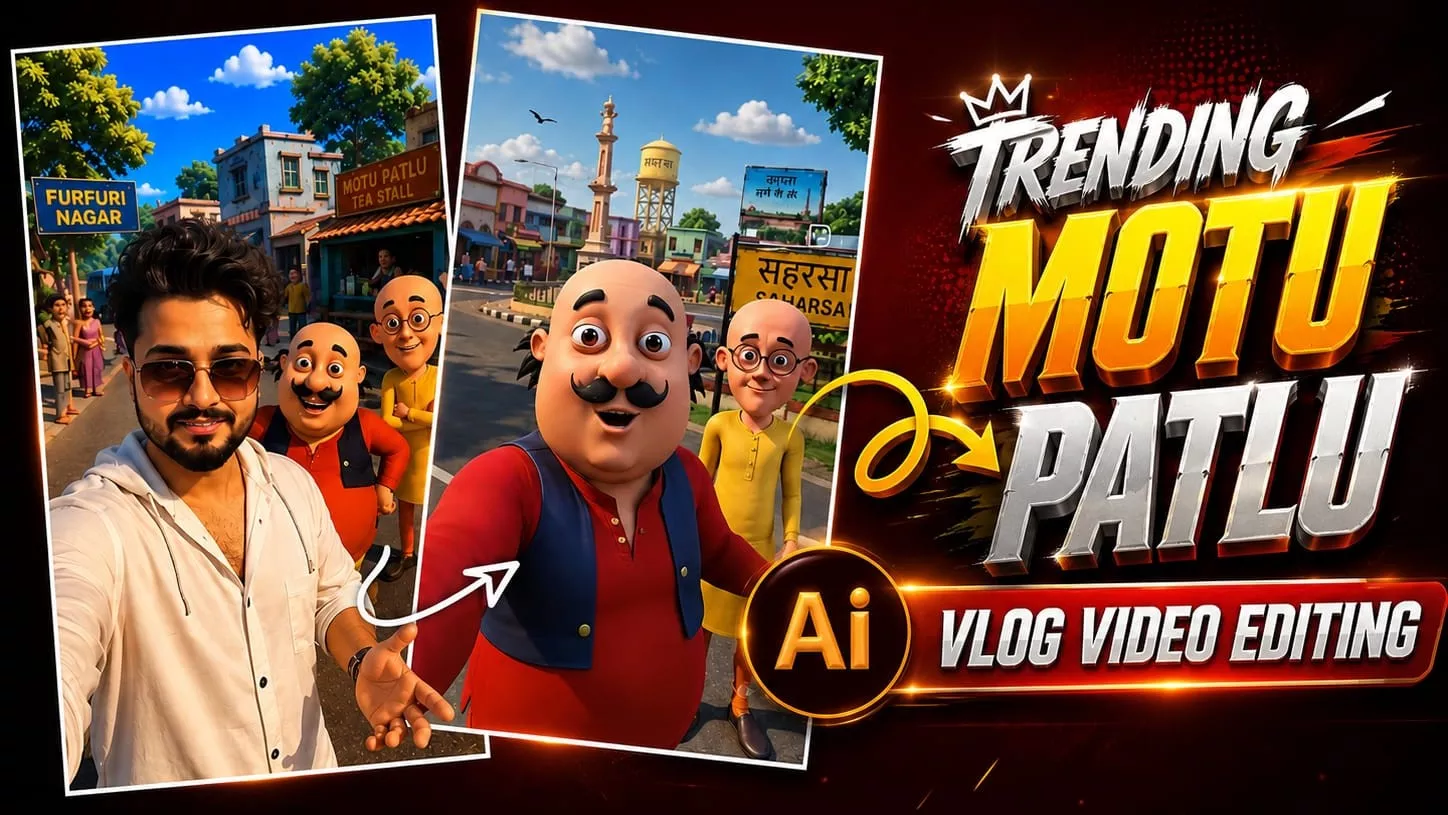
Motu Patlu Ai Video Editing Prompt – Friends, a new type of AI-generated video featuring the characters Motu and Patlu is currently going viral on social media. In these videos, people use AI to make Motu and Patlu say specific things—such as the name of their village or a custom dialogue of their choice. Creating this kind of video with AI is incredibly easy. So, if you want to generate your own Motu-Patlu videos—where they speak your chosen lines, mention your village, or say whatever else you desire—then follow this article. Here, I will explain the entire process of creating an AI video featuring Motu and Patlu delivering your specific dialogue.
Details Of Motu Patlu Ai Video Editing Prompt
First, let me give you the full details about this video editing style. Friends, this video is generated using AI; it has no connection to real life, nor does it use any actual photographs—you will create it simply by using a prompt. The best part of this editing process is that we can customize the prompt to include any dialogue we want, and Motu and Patlu will speak those lines. The video depicts Motu and Patlu standing by a highway next to a roadside sign displaying a village name, as they announce that they have arrived there. In the following paragraphs, I will explain step-by-step how to create this video, so please read the instructions carefully.
How To create Ai Image
Friends, to create this AI-generated video—which is currently going viral—you first need to create an image featuring the Motu Patlu characters standing on a highway (or in a location specified by the prompt). To do this, simply copy the image prompt provided in this article, open ChatGPT, and paste the prompt. You can customize the prompt by inserting your own name or modifying the dialogue to your liking. Once you hit generate, the AI will create an image featuring the Motu Patlu characters along with your chosen name or dialogue. Next, you will need to generate the video from this image; the process for doing so is explained in the following section, so please read that to complete the video generation.
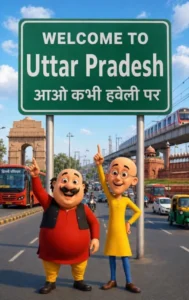
Image Prompt –
Create a high-quality 3D cartoon-style scene inspired by classic Indian animation. Two funny cartoon friends stand in the middle of a wide modern Indian city road, smiling and pointing upward. The left character is a chubby man with a big black moustache, wearing a red kurta, yellow pajama, black waistcoat, and black shoes. The right character is a slim bald man with round glasses, wearing a yellow kurta, blue pants, and brown shoes, raising one finger upward.Behind them is a large green highway signboard supported by two silver poles. The signboard has a white border and bold white text exactly as follows:WELCOME TO Uttar Pradesh आओ कभी हवेली परThe text must be perfectly centered, sharp, correctly spelled, and use realistic Indian highway sign typography.Background: A busy Indian city with India Gate on the left, Red Fort on the right, a metro train on an elevated track, red city buses, auto-rickshaws, motorcycles, cars, streetlights, trees, and a bright blue sky with soft white clouds.Camera angle: Eye-level, wide-angle, centered composition.Lighting: Bright natural daylight with soft realistic shadows.Style: Ultra-detailed Pixar-quality 3D cartoon render, vibrant colors, smooth textures, cinematic lighting, depth of field, Ultra HD, 8K, highly detailed, professional animation quality.Vertical composition (9:16), realistic road markings, clean perspective, sharp focus, vibrant colors.
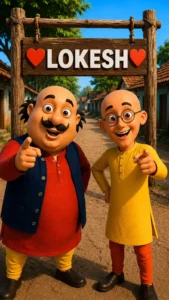
Replace the text on the board with “Lokesh” and keep everything else the same. Keep the image quality at 4k.
City Video Prompt –
Animate the existing image only. Keep the characters, background, camera angle, and composition unchanged. Natural facial expressions, realistic eye blinking, subtle body movement, accurate lip-sync, and hand gestures.

Motu (speaking in Hindi): "हेलो दोस्तों मैं मोटू हूँ। आज मैं उतरप्रदेश घूमने आया हूँ। यहाँ का माहौल बहुत बढ़िया है। आज मैं उतरप्रदेश का गरमा गरम समोसा खाऊंगा!"

Patlu (speaking in Hindi): "दोस्तों, यह शहर बहुत ही सुंदर है। अगर मौका मिले, तो यहाँ ज़रूर आइए!"

Motu (laughing): "वाह! आज तो बहुत मज़ा आने वाला है!"

Both characters smile, point toward the Bihar sign, laugh naturally, and maintain perfect Hindi lip-sync. Smooth animation, cinematic quality, 24 fps, 8 seconds.
Name Video Prompt –
Create a 10-second ultra-realistic 3D animated Video using the uploaded image as the exact reference. Keep Motu, Patlu, their clothes, expressions, and the highway background unchanged. Add natural lip-sync, blinking, facial expressions, hand gestures, and slight handheld camera movement. Motu smiles, waves, and says: ”दोस्तों, अब हमें लोकेश भाई से मिलने जाना है। Now Patlu speaks.”तो जल्दी से इस वीडियो को चार लोगो के पास शेयर कर दो।!” Now Motu speaks.” अगर अपने नाम की वीडियो बनवाना चाहते हो तो इस वीडियो को लाइक करके comment में अपना नाम लिख दे!” Add realistic highway ambience, passing vehicles, birds, light wind, cinematic lighting, smooth animation, 4K, vertical 9:16
How To Generate Video?
In this paragraph, I will explain the process of generating a video from an image. I previously described how to use ChatGPT to create an image featuring Motu Patlu characters alongside your name; now, we are going to convert that image into a video. To do this, first copy the video prompt provided on our website and click the “Generate Your Video” button, which will take you directly to the Google Flu website. Sign up there, select the “New Project” option, and click the plus (+) icon to upload the generated image. Next, paste the video prompt—feel free to customize it to your liking (such as changing the name or dialogue) to achieve the specific result you want. Once you hit generate and wait a few moments, your AI-generated video will be ready.
Conclusion
So friends, in this article, I have explained a simple process for creating a viral video featuring the Motu Patlu characters. You can customize it to include your own name or have the characters speak any dialogue you write. The entire process is completely free and easily achievable using AI. I hope you understood the steps and learned how to create this type of video. If you liked this article, please share it so others can also benefit and easily create such viral videos. On this website, you will find more unique and trending video editing ideas and AI photo editing prompts that you can use to generate your own images and videos.