Spotify Background Music Ai Photo Editing Prompt – Hello friends, welcome to today’s new article of lokeshediting.com . Friends, do you want to create a nice photo and share it with us? Haven’t created a photo in a while, or do you want to do some good photo editing? Friends, follow this article today. Because in this article, I’m going to teach you how to do a very trending photo editing, which you can do very easily with the help of AI. You won’t need to do anything; AI will do all the editing automatically and give it to you. You just need to follow a few steps, which is the process of this photo editing. If you want to create a creative photo, you can do this photo editing. In this photo editing, we’ll see that the photo has been created with Spotify music background, which looks quite creative. I’ll tell you all the details about it, along with explaining how to create it. So, please read this article.
Details Of Spotify Background Music Ai Photo Editing Prompt
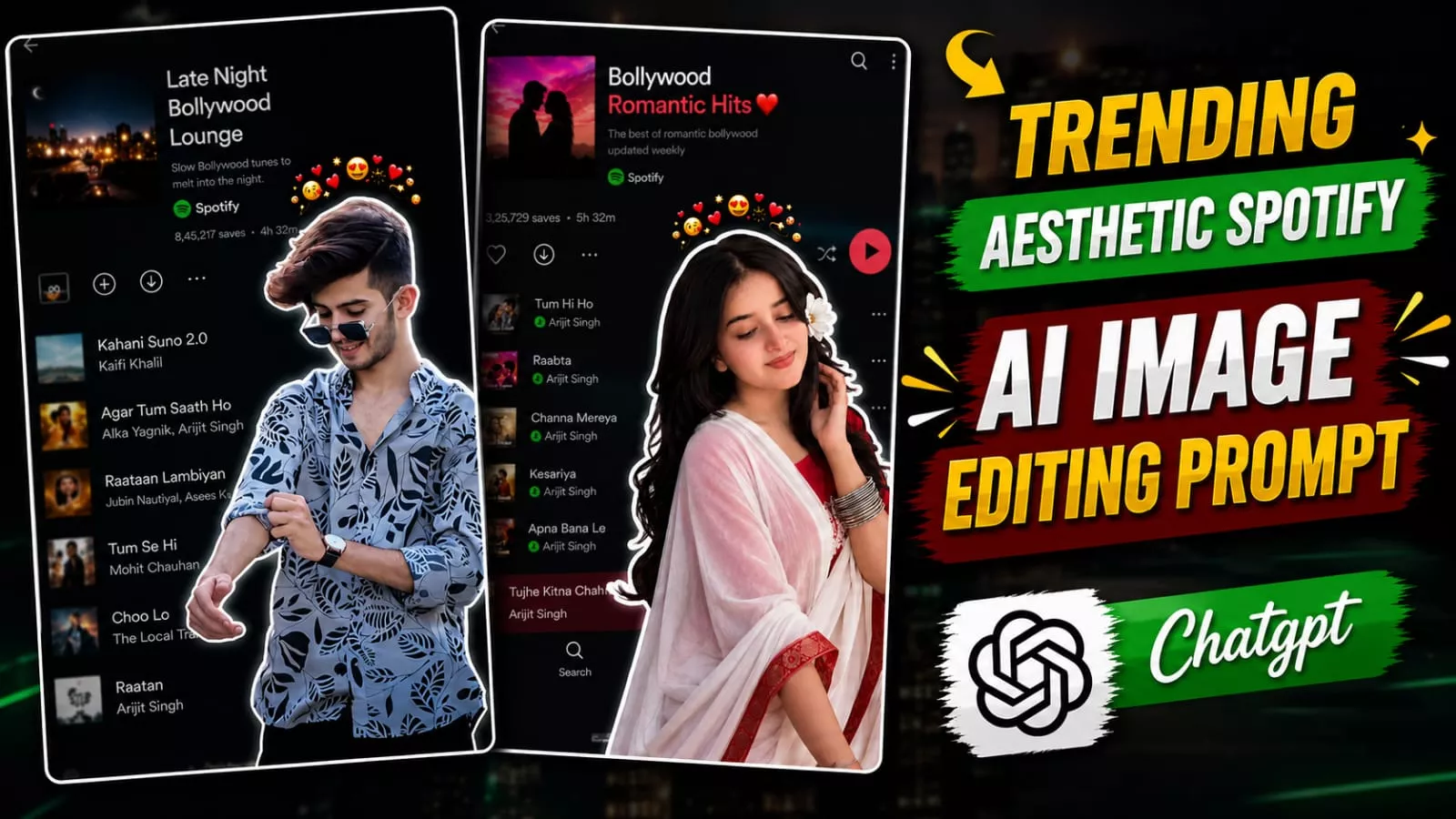
So, first, I’ll give you a full overview of this photo editing, explaining the type of editing you’ll see. As I mentioned, this photo editing is based on Spotify music. You’ll see a background from a music album in the Spotify application, and a cut-out image of you, consisting solely of your body, outlined by a white neon outline. The background has been carefully matched with a slight blur, giving the photo a perfect and aesthetic look. You can use this as your WhatsApp, Instagram, Facebook, or wallpaper. Currently, it’s becoming quite viral on social media, and we’ll create it using a prompt. In this article, I’ll explain the prompt and the process to create such an image of yourself using it.
Why This Editing Is Going Viral?
This Photo editing is currently trending on social media because people are loving the editing done with it, and everyone is creating this photo and sharing it as their WhatsApp DP, Facebook profile, or Instagram profile. The music used to match the background and the photo is being appreciated, and everyone is a music lover, so everyone is using this photo editing tool to showcase their playlists and the types of songs they listen to. Furthermore, it’s incredibly easy to create such a photo using a simple photo, and it’s providing perfect results for free, making it a very popular photo on social media right now.
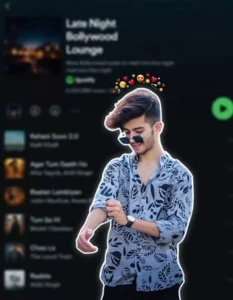
Use the uploaded reference image as the exact reference. Preserve the person's identity, facial features, skin tone, hairstyle, pose, expression, and body proportions exactly as shown. Keep the clothing 100% identical to the reference image. Do not change the outfit, colors, patterns, fabric, accessories, or fit. Preserve every detail of the original clothing exactly as in the uploaded image.
Create a premium digital collage style portrait. Cut out the subject with a thick white sticker-like outline, giving it a modern editorial collage look. Keep the pose natural and relaxed, with the person looking slightly downward with a calm, confident expression. If the reference image includes a hand near the face or clothing, preserve that naturally.
The background should be a heavily blurred dark-mode mobile music streaming app playlist, creating a stylish and modern aesthetic while keeping the focus entirely on the subject. Use soft ambient lighting, clean shadows, premium cinematic color grading, subtle film grain, high contrast, realistic skin texture, ultra-sharp details, HDR quality, and a minimal editorial design.
Ensure the face remains 100% recognizable and matches the uploaded reference perfectly. Do not alter the hairstyle, facial features, outfit, accessories, or overall appearance. The only transformation should be the digital collage effect, thick white sticker outline, and the blurred playlist background.
Ultra-realistic, Instagram aesthetic, premium graphic design, editorial quality, realistic depth of field, clean composition, 4K, HDR, vertical 4:5 aspect ratio.
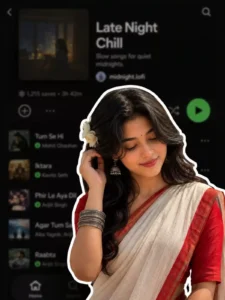
A digital collage style image. In the foreground, a young South Asian woman is cut out with a thick white sticker-like outline. She is wearing a traditional white saree with a red border, a red blouse, and silver bangles, with a white flower tucked into her long dark hair. She is looking downwards with a soft, serene expression, gently touching her hair near her ear. The background is a heavily blurred, dark-mode screenshot of a mobile music streaming app playlist.
How To Create This Spotify Image?
Now friends, let me tell you how you can create this Spotify music background image. Look, you have to first copy any image prompt given in the article and we have to create an image from this prompt, for this we will need an AI tool, so for that you open the Chat gpt application or its website and paste this point in it and add your reference image with the plus icon, so that the face in your photo will match, after that you will click on the generate button and wait for a few moments, then Chat gpt will create a static type image of your Spotify music background, in which there will be a cut out of your body with an outline and in the background there will be a screenshot of Spotify’s music playlist, which has been merged well in the background and the photo is coming out with a lot of static look.
Conclusion
So friends, I hope you enjoy this Aesthetic Music lover photo editing tutorial, which will help you easily create your own images. I have provided a detailed guide in this article to ensure a smooth process, allowing you to generate such images yourself using the provided prompts. I hope you like this viral photo editing style; if you wish to create more unique and trending photos, feel free to visit this website to find various editing prompts that will help you easily create your own images.