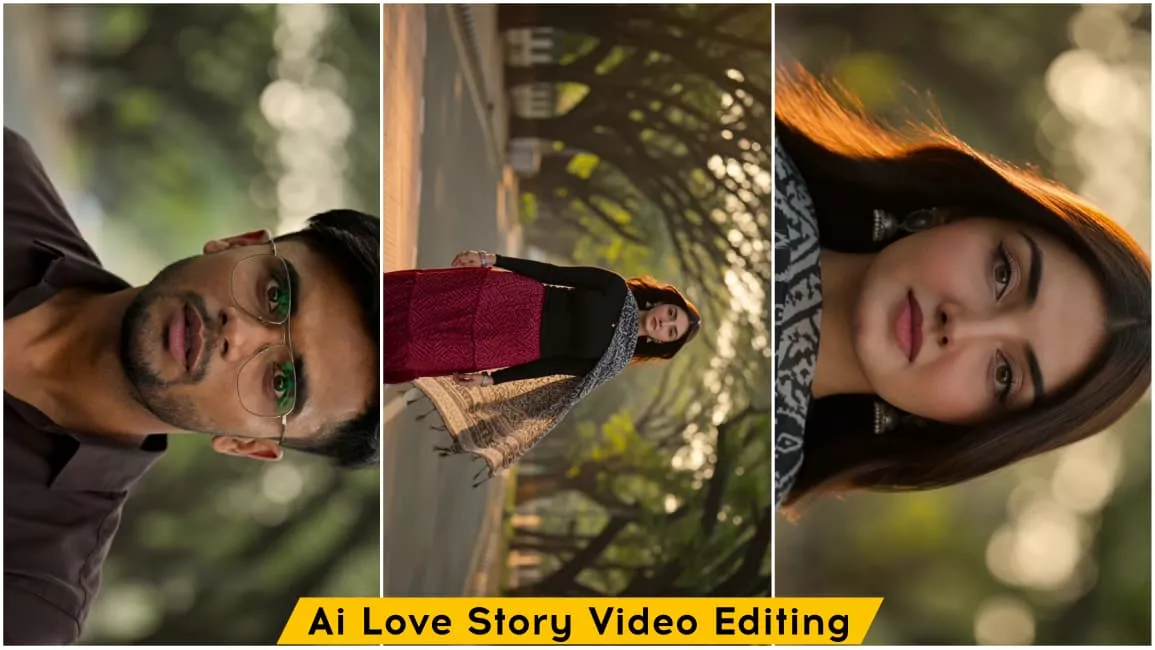
Ai Love Story Video Editing – In the world of content creation, now people are using AI with a lot of creativity and creating such a photo or video of themselves which looks absolutely realistic and after seeing it, no one can easily say that it is made by AI, but friends, nowadays people are making full use of AI on social media and are getting good results by sharing their creativity and imagination through AI. Similarly, right now a viral video editing is trending on Instagram in which editing has been done with the help of and in this we get to see love story editing which has been made with absolutely realistic look and it is very easy to make it, you must have asked me that brother how can we do this editing, so friends, the answers to all your questions are going to be found in this article, in this article I am going to teach you how to create this viral love story video editing, how you can easily create this video with your own face and your partner, this process will be explained to you in all the easy ways, if you follow this article then you will come to know the entire process in it and you can easily create this love story video editing.
Details Of Ai Love Story Video Editing
So friends, as I told you, this video is going to be edited, and it makes extensive use of AI, which is what created this video. In this video, you’ll see a scene depicting a love story. A boy is standing on the side of the road with his bike, looking at his watch and looking ahead, as if waiting for someone. Then, a car passes by, and the scene changes. We see a girl, his girlfriend, approaching him from the other side. The boy is surprised and lost in love when he sees her. When the girl approaches, the video has a slow-motion effect applied to it, making it play smoothly in slow motion. This realistic scene looks absolutely beautiful and cinematic, creating a love story atmosphere. You can easily create it with the help of prompts. I’ll also explain the process in this article. Stay tuned.
Process Of This Ai Video Editing
Look, the process of editing this video is quite simple. First, let me tell you what you’ll need. So, friends, to edit this video, we don’t need much; we just need a photo, a prompt, and an AI tool. With these three, we can easily create this realistic love story video editing. Speaking of photos, friends, first prepare an image of your partner and yourself, each with clear facial images of you and your partner. Prepare two images, and we’ll use them to create this video. After the photo, you’ll need a prompt. In this article, a video prompt is provided. Copy it. Now, you’ll need an AI tool to generate the video. You can use Google AI for this. The process of using this tool is quite simple. I’ll teach you how to do it in the next paragraph.
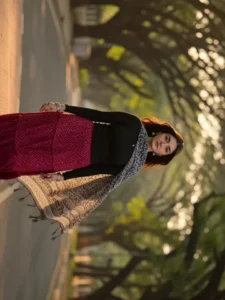
Cinematic 4K photorealistic video, 15 seconds, natural golden hour light. Wide
tree-lined Bangalore city boulevard, tall rain trees overhead canopy, warm
amber sunlight through leaves, dappled gold on tarmac, ambient city sounds.
BEAT 1 — 0:00 to 0:04: Young Indian man from @Image1 stands on near-side
footpath beside a black bike, facing camera. Black hair, clear glasses, dark
brown linen button-up shirt white buttons chest pocket sleeves rolled, cream
wide-leg pleated trousers, white sneakers, silver watch left wrist from
@Image3. Head slightly down casually checking his watch, relaxed and
completely unaware. Black Porsche 911 GT3 enters from left at road speed —
horn blares once — car sweeps through foreground in shallow focus blur
blocking full road view for one second, powerful wind whoosh as it passes.
BEAT 2 — 0:04 to 0:07: Car clears frame — slow motion begins instantly. On
the opposite footpath directly across, a young Indian woman from @Image2
steps off the far kerb beginning to cross — walking straight toward camera.
Car's wind wake hits her at this exact moment — straight dark hair explosively
lifting and blowing toward camera. Black fitted full-sleeve top, red bandhani
wave-print tiered maxi skirt billowing forward around her legs, black white ikat
dupatta with tassels flying toward camera, silver oxidised necklace and
bangles catching golden light, flat kolhapuri sandals from @Image4. She walks
straight forward facing camera, eyes ahead, calm natural expression,
completely unaware of him on the opposite pavement. BEAT 3 — 0:07 to 0:10:
Cut to tight front close-up of the man's face. Head lifted from watch, eyes
wide and still fixed straight across the road, mouth barely parted, glasses
catching soft golden light. Pure quiet stunned stillness. First sight. No theatrics.
Completely natural. BEAT 4 — 0:10 to 0:12: Cut back to her — slow motion —
mid-road walking straight toward camera, red skirt swaying, dupatta tassels
drifting, hair gradually settling. She never glances toward him. Fully in her own
world. BEAT 5 — 0:12 to 0:15: Slow motion close-up of her beautiful face.
Straight dark hair softly blowing and settling, warm amber light falling across
her features, soft skin, dark expressive eyes looking straight ahead, gentle
natural expression, silver earrings catching light. Quiet effortless beauty. She
still does not know. Shallow depth of field, warm golden bokeh tree canopy
behind. Wind sound fading to silence. Anamorphic lens, natural bokeh, no
filters, no music. Diegetic sound only — car horn, wind whoosh, ambient city
hum, fading breeze. Pure documentary realism. No jump cuts.
How To Generate Video?
In this paragraph, I will explain the process of generating a video from an image. Now, we are going to convert that image into a video. To do this, first copy the video prompt provided on our website and click the “Generate Your Video” button, which will take you directly to the Google Flu website. Sign up there, select the “New Project” option, and click the plus (+) icon to upload the generated image. Next, paste the video prompt—feel free to customize it to your liking (such as changing the name or dialogue) to achieve the specific result you want. Once you hit generate and wait a few moments, your AI-generated video will be ready.
Conclusion
So friends, in this way you can easily create this viral love story video editing. In this article, I have taught you how to create a video with the help of a prompt and a photo. If you have followed this article, then you must have understood the process well and now you can easily generate this video with the help of an eye. I hope you will definitely like it and for such unique and trending editing tutorials, keep visiting our website. Here you are taught how to create an eye photo or make a video with the help of an eye and along with that, you are also taught how to edit videos using templates, so you can visit and check here.