Couple On Tower Ai Photo Video Editing – Friends, a new AI-generated video is going viral on social media; it features a realistic scene of a couple standing atop a massive, towering structure. These types of videos are trending massively. The good news is that you can easily create one yourself using AI. In this article, I will guide you through the process of creating this “tower” AI video. The process is quite simple, but you need to know the steps involved; I will walk you through the entire procedure and even provide the necessary prompts. So, read on to learn how to make it.
Details Of Couple On Tower Ai Photo Video Editing
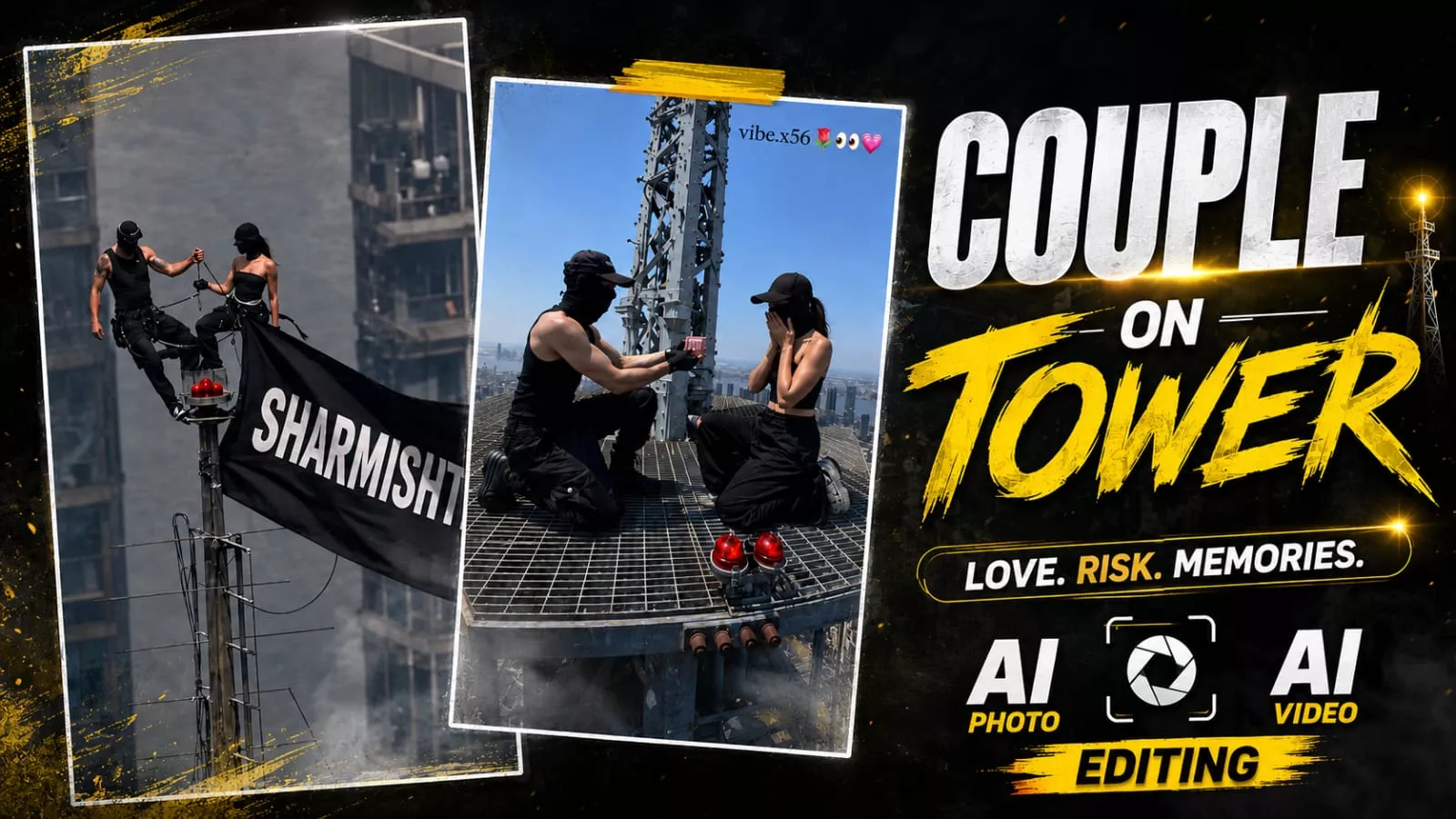
First, let me give you the full details about this video editing. This video was created using AI; it features a couple standing at the very top of a tall network tower. Both are dressed in black, wearing black masks, and standing facing each other while holding onto the structure. A large black flag is waving from the tower, displaying some text—you can customize this to show your own name or your brand’s name. Although the scene looks like it was captured in a drone shot, you can actually create it using just a single image. We will create this in two steps, which I will explain in the next paragraph.
Process Of This Editing
Friends, to create this viral AI video, you simply need to follow two steps. First, you must generate an AI image featuring a waving flag that displays your name. Second, you will convert that image into a drone-shot style AI video showing a couple standing atop a tall tower. To create the image, copy the prompt from this article, open the ChatGPT app, paste the prompt, and insert your name so it appears on the flag. Then, add your reference image using the plus icon. Finally, hit generate and wait; ChatGPT will create this viral image for you, featuring a couple on a tower with your name displayed.
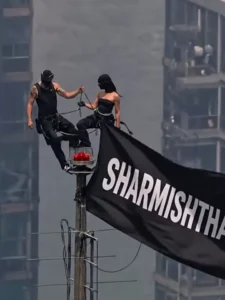
Image Prompt –
Create an ultra-realistic vertical 9:16 cinematic drone shot of two young Indian adults standing on the tiny top platform of a very tall communication tower above a huge modern city skyline. The city below is blurred with atmospheric haze, giving an extreme height and vertigo feeling.

A young man with curly black hair and short beard is wearing an all-black outfit, standing confidently with one foot raised and one hand holding the antenna pole. Beside him, a youna woman in a black sleeveless outfit stands calmly, also holdir.g the pole. A large black flag is attached to the tower and blowing strongly in the wind.
On the flag, write in bold white uppercase text:
rajaneditz.COM
SE PROMPT LELO
AUR HO JAO VIRAL
Keep the text clearly readable, centered on the flag, slightly following the cloth folds. Realistic lighting, warm daylight, telephoto lens compression, high altitude aerial photography, detailed metal tower, cinematic shadows, documenta. y realism, 8K, HDR, no extra people, no logo, no watermark
Video Prompt –
animate this photo as the flag is weaving in slow wind. Keep the rest still and add a little zoom in motionAspect Ratio 9:16
How To Generate Video?
If you want to create realistic AI videos like these, just follow a few simple steps. First, click the “Generate Video” button to open the Flow AI website. Sign in with your email address, then click “Create Project” to start a new project. Once you’re on the dashboard, select the “Text” option, then choose “Frame” followed by “Video.” Next, click the “+” icon to upload your image. In the text box below, copy the prompt from my website and paste it there. When everything is ready, click the “Generate” button. After a short wait, Flow AI will create your video. The final result will look realistic and professional, and that’s all it takes to create your own AI-generated video.
Conclusion
So friends, I hope you enjoy this viral “couple with the tower” AI video editing tutorial and are able to create one for yourself. You won’t face any issues if you follow the steps correctly. Sharing the video will also increase the chances of it going viral. If you want to learn more about trending AI video or photo editing, you can check out the AI category on our website, where you’ll find plenty of articles. Please let us know your feedback on this article in the comments section.