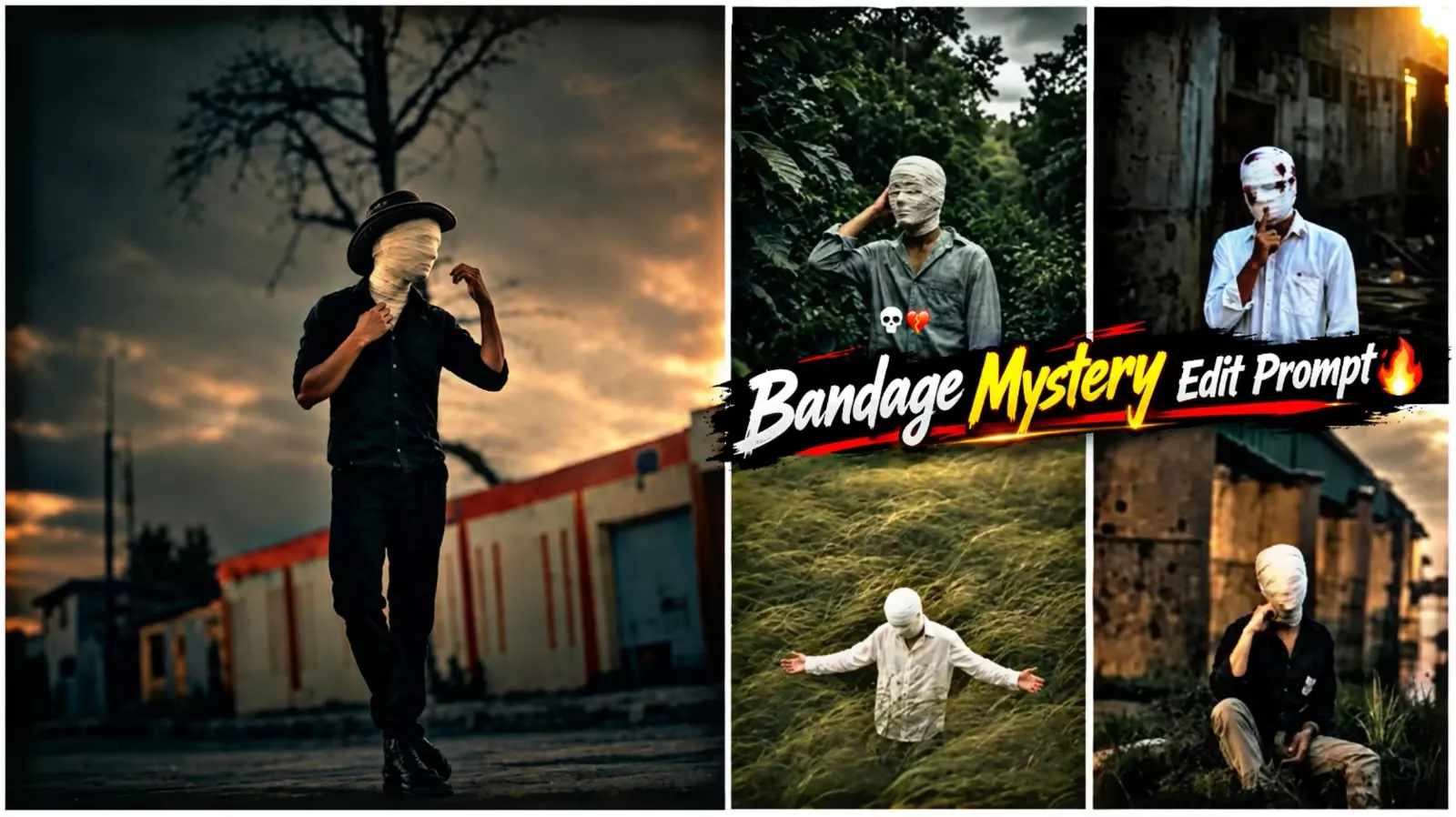
Bandage Face Ai Photo Editing Prompt – Currently, there’s a new photo editing trend on social media, where people are seen wearing bandages on their faces. Mummy-like bandages are tied around their faces, and this type of face bandage photo editing is going viral on Instagram. Many people are creating and sharing such photos on social media, and their photos are garnering millions of views. Friends, if you also want to create such a trending photo with a face bandage, then for this, in this article, I am going to teach you through a very easy process how you can also create such a realistic image with the help of AI. All these images are being created by AI only. The people you see sharing on social media have created the photos with the help of AI, so we will also create our image in a similar bandage look and are going to do it in a very easy way, so you should read this article carefully. In this article, I am telling you a very easy way to create this face bandage photo editing, with the help of which you will be able to create your photo easily.
Details Of Bandage Face Ai Photo Editing Prompt
So, let’s first talk about this photo editing. Friends, as I mentioned, you’re going to be editing a photo with a face bandage look. In this, you’ll see your face covered in bandages, just like a mummy’s face bandage. Only the face is bandaged; the rest of the body is normal. The photo has been given a cinematic look. The background has been color-graded to create a cinematic look. Your photo will be created in the same style as your reference image, but with a bandage on your face and the background color in the photo will be color-graded to create a cinematic look. You can easily create your images with these different looks. We’re going to create these images with the help of prompts. In this article, I’m providing you with different prompts, using which you can easily create a similar photo. The process will be explained in the following paragraphs. Stay tuned.
How To Create This Image?
Friends, to create this face bandage photo editing, you need to use an AI tool. For this, we’ll use the Chat Secret or Google Gemini application. First, copy any of the image prompts provided in the article. You’ll find various image prompts in the article. Copy any of these. After that, open Chat Secret or any Google application and paste this prompt into it. Add a reference image. For this reference image, choose one that shows your full body, or you can use a half-body image. Meaning, you need to add a good photo that shows your full look. After adding the image, click the send button and wait a few moments. Your face bandage image will be ready, and you can save it. This entire process is completely free, and you can easily create such a face bandage image.
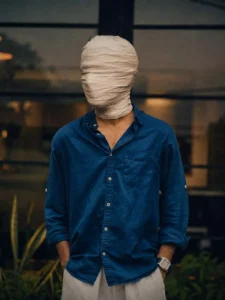
Create an ultra-realistic cinematic portrait using the uploaded photo as the exact reference. Preserve body proportions, pose, posture, hands, arms, clothing, accessories, camera angle, composition and framing unchanged. Completely wrap the entire head and face in thick, opaque off-white cotton bandages with overlapping layers. Fully cover hair, forehead, eyes, eyebrows, nose, cheeks, mouth, jawline, chin and ears. No facial features, skin, gaps, openings or recognizable face shape should be visible. Keep the original background unchanged. Apply a dark moody cinematic color grade in the photo, deep shadows, subtle warm highlights, atmospheric haze, natural HDR, contrast and film grain
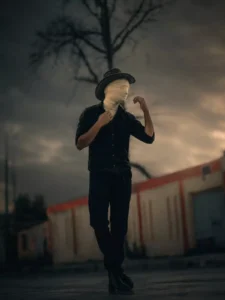
Create an ultra-realistic cinematic portraitusing the uploaded photo as the exactproportions, pose, posture, hands, arms, clothing, accessories, camera angle, composition and framing unchanged.grain.reference. Preserve body cotton bandages Completely wrap the entire head and face in thick, opaque off-white with overlapping layers. Fully cover hair, forehead, eyes, eyebrows, nose, cheeks, mouth, Jawline, chin and ears. No facial features, skin, gaps, openings or recognizable face shape should be visible. Keep the original background unchanged. Apply a dark moody cinematic color grade in the photo, deep shadows, subtle warm highlights, atmospheric haze, natural HDR, contrast and film size 3,4
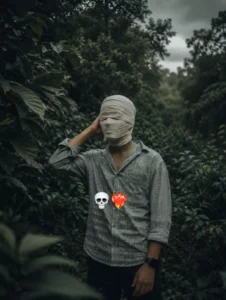
Create an ultra-realistic cinematic portrait using the uploaded photo as the exact reference. Preserve body proportions, pose, posture, hands, arms, clothing, accessories, camera angle, composition and framing unchanged.Completely wrap the entire head and face in thick, opaque off-white cotton bandages with overlapping layers. Fully cover hair, forehead, eyes, eyebrows, nose, cheeks, mouth, jawline, chin and ears. No facial features, skin, gaps, openings or recognizable face shape should be visible. Keep the original background unchanged. Apply a dark moody cinematic color grade in the photo, deep shadows, subtle warm highlights, atmospheric haze, natural HDR, contrast and film grain.
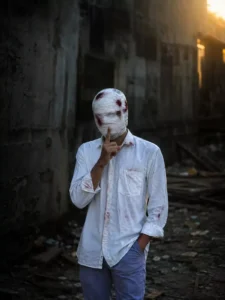
My face is completely covered in bandag there are patches of blood, and my fingers are pressed against my mouth backgrou change8k realistic
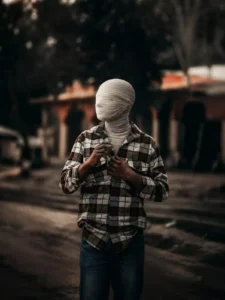
Create an ultra-realistic cinematic portraitusing the uploaded photo as the exactproportions, pose, posture, hands, arms, clothing, accessories, camera angle, composition and framing unchanged.grain.reference. Preserve body cotton bandages Completely wrap the entire head and face in thick, opaque off-white with overlapping layers. Fully cover hair, forehead, eyes, eyebrows, nose, cheeks, mouth, Jawline, chin and ears. No facial features, skin, gaps, openings or recognizable face shape should be visible. Keep the original background unchanged. Apply a dark moody cinematic color grade in the photo, deep shadows, subtle warm highlights, atmospheric haze, natural HDR, contrast and film size 3,4
Create a Viral Full-Body Photo Without Showing Your Face
Friends, normally when we take a photo, our face is the main part that makes the picture recognizable. But this viral editing style is completely different. In this edit, your full body is clearly visible while your face remains completely hidden or covered, creating a mysterious and unique appearance. The hidden-face concept is one of the main reasons this style is getting so much attention on social media. Along with the composition, the overall color combination, lighting, and cinematic look make the photo even more attractive. If you want to create something different while keeping your identity private, this full-body hidden-face edit is definitely worth trying.
Conclusion
So friends, in this way you can also create this trending face bandage photo editing and share it on social media. By sharing it, you will get very good results and the chances of your photo becoming popular will increase because at present, photo editing is very much in trend and people are showing their aura by creating such photos. So you too should follow the trend and create such a photo. I have given you prompts guiding you through the entire process in this article. You can easily create your image by using them. I hope you liked this article. For such unique and trending photo editing, keep visiting our website. Here you will find prompts for new trendy photos, using which you can easily create your photo.