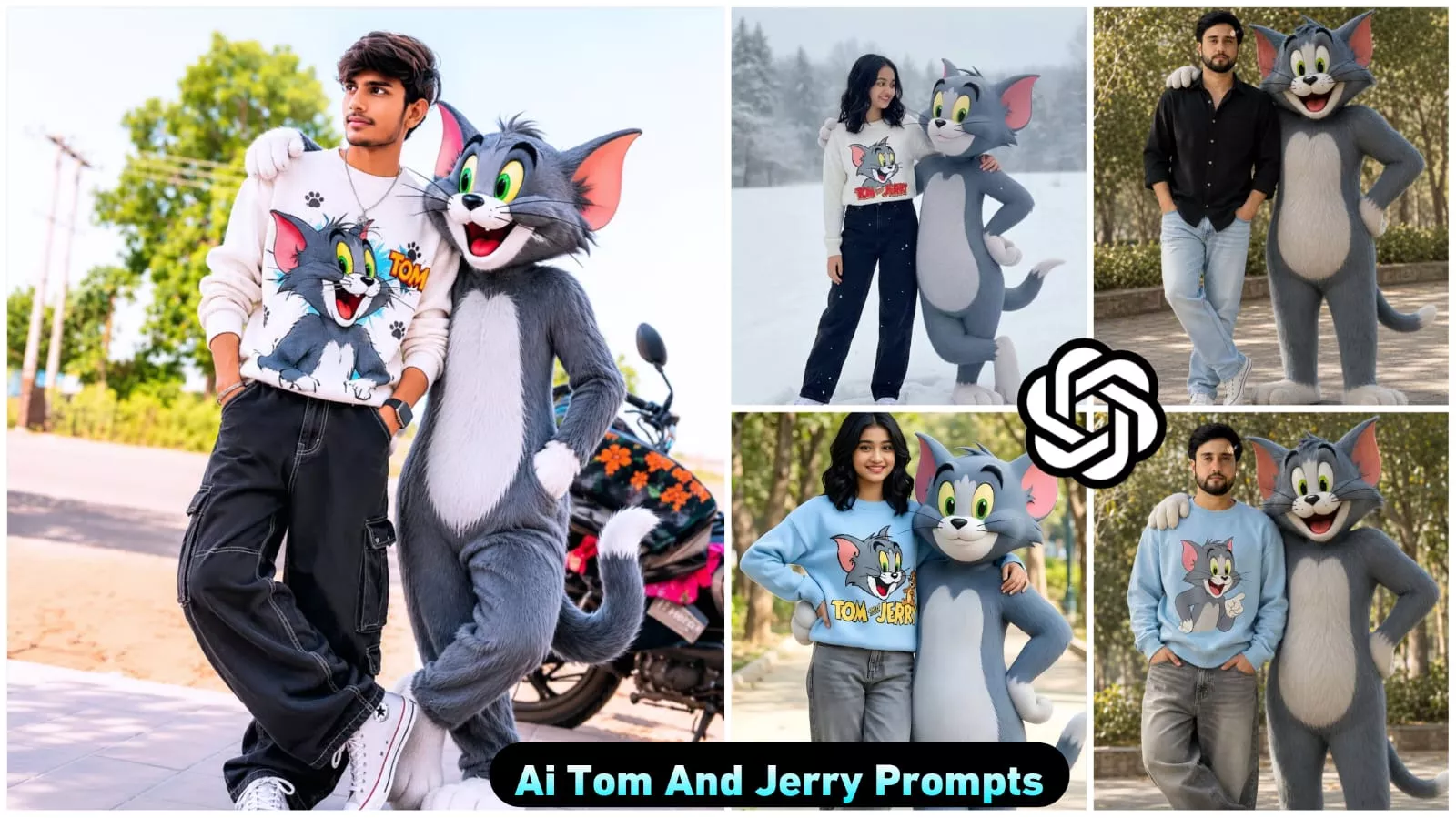
Google Gemini tom And Jerry Ai Photo Editing Prompts New VIral Prompts – Hey friends, how are you all doing? As you all know, a specific photo editing trend is currently sweeping across Instagram. Everyone is actively creating these edits—and while it isn’t just a single, specific style, it does encompass a few distinct variations. This is because this trend covers a wide range of categories, particularly various types of AI-generated photo edits. Among these, one standout style is the “Tom and Jerry” themed edit; when applied to your picture, it adds a unique aesthetic flair to your photo. This particular style is currently trending massively, and you too can create such edits very easily—absolutely free of cost and without any effort. If you want to go viral, impress your friends, or simply post something cool on your Story, you should create one of these photos right away—before the trend fades away!
Details Of Tom And Jerry Ai Photo Editing
So friends, why is this particular style of photo editing going so viral? What is it about this technique that makes it spread so rapidly, and what are the key details we should know about it? After all, you can only create your own version once you have the necessary information—and that is exactly what I am here to share with you. The key detail here revolves around the Tom and Jerry cartoon. You have undoubtedly watched it at some point; it is an incredibly famous series that virtually everyone has seen. It is almost impossible to imagine someone who hasn’t watched it—or, even if you haven’t seen the show itself, you have surely encountered the characters in real life. The exciting feature of this editing trend is that you can incorporate Tom and Jerry into your own images. With just a few simple steps, you can seamlessly add Jerry (or Tom) to a single photograph, instantly transforming your picture into a viral sensation.
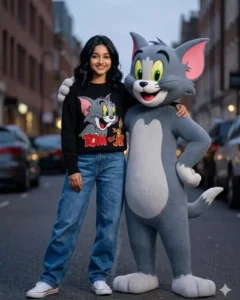
lam with sholder length wavy black hair, expressive eyes, warm smile, and adorable face. Standing confidently in a casual stylish pose wearing a cozy light black sweater with a colorful Tom cat print, baggy blue jeans, and white Converse sneakers. Beside me stands a life-size anthropomorphic Tom cat from Tom and Jerry with soft grey fur, white belly, large green eyes, pink inner ears, and playful grin. Tom keeps one arm around my shoulder in a friendly protective pose.
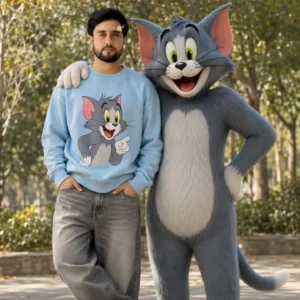
lam with sholder length wavy black hair, expressive eyes, warm smile, and adorable face.Standing confidently in a casual stylish pose wearing a cozy light black sweater with a colorful Tom cat print, baggy blue jeans, and white Converse sneakers. Beside me stands a life-size anthropomorphic Tom cat from Tom and Jerry with soft grey fur, white belly, large green eyes, pink inner ears, and playful grin.Tom keeps one arm around my shoulder in a friendly protective pose.
Common Mistake To Avoid
If you engage in any form of photo editing, you are almost certainly making a common mistake—specifically, the one I am about to describe. It is highly probable that you are committing this error; in fact, it is almost inconceivable that you aren’t, as 99% of people make this very mistake, and you are likely no exception. Let me explain. The first issue is that the images you import for editing are often not sufficiently clear. 99% of users fail to import images with enough clarity to ensure their face—and every other detail—is clearly visible and easily discernible to the viewer. You should be uploading images that allow everything to be understood at a glance—something that most people neglect to do. Consequently, their final edited photos turn out poorly; while the image may feature a person (or even your own face), the lack of clarity makes it difficult to make out the details. The second common mistake is uploading your photo in low quality. If you upload a low-quality image, the final edited result will also be of low quality. Therefore, you should always import photos in HD quality to ensure that your final output is also delivered in high definition.
How To Creat Tom Jerry Ai Photo prompts
I have already explained 80% of the process to you; the remaining 20%—which I am covering in this article—focuses on how you can actually create the image. You have likely already grasped the initial 80%. The remaining 20% specifically deals with the mechanics of creating your photo. To understand this process and create your image, you will first need a specific application and a “prompt.” The application required for this task is renowned specifically for its image-generation capabilities—a tool you are likely already familiar with by name. You may use either of the two applications available for this purpose. Once you have opened your chosen application, the very first step is to select the “Create Image” option, upload your photo, and then input your prompt. If, by chance, you notice any imperfections in your generated photo, simply describe the specific issues you want corrected; the tool will then rectify the flaws and produce a perfectly refined image for you.